
Setting Up AdChat with ChatGPT
ChatGPT supports MCP servers, letting you connect your Facebook Ads data directly into your conversations.
Step 1: Get Your Server URL
Log into your AdChat dashboard and copy the Server URL (it looks like https://mcp.adchat.app/mcp?token=adchat_xxx).
Step 2: Enable Developer Mode
- Open chatgpt.com/#settings/Connectors (or go to Settings -> Apps)
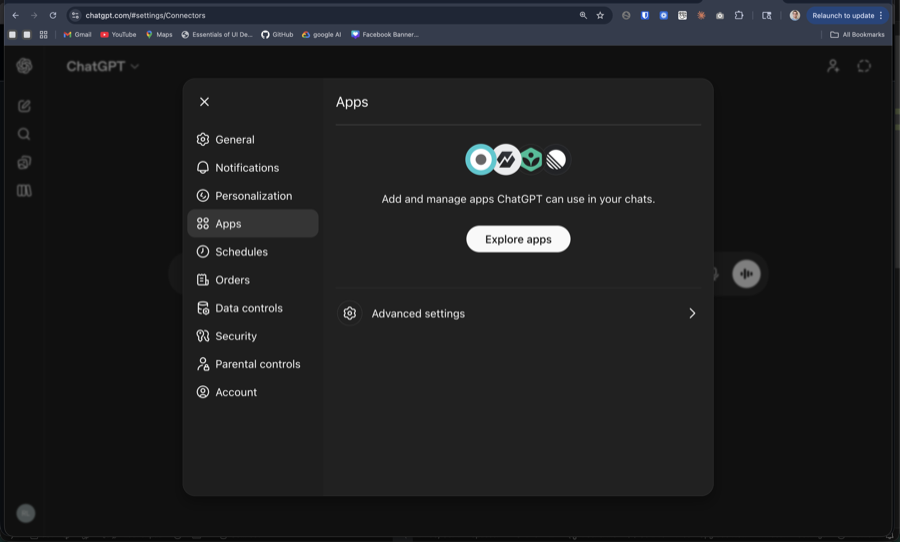
- Click Advanced settings
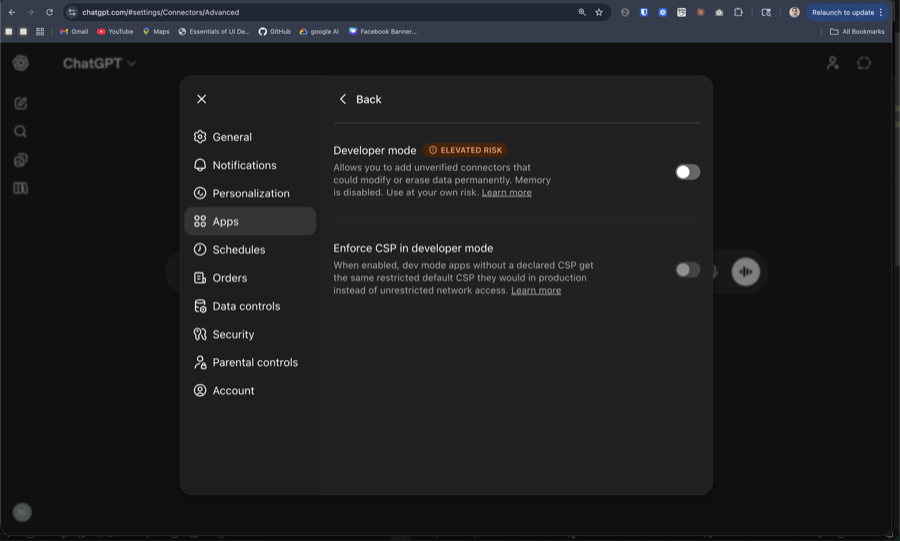
- Toggle Developer mode on
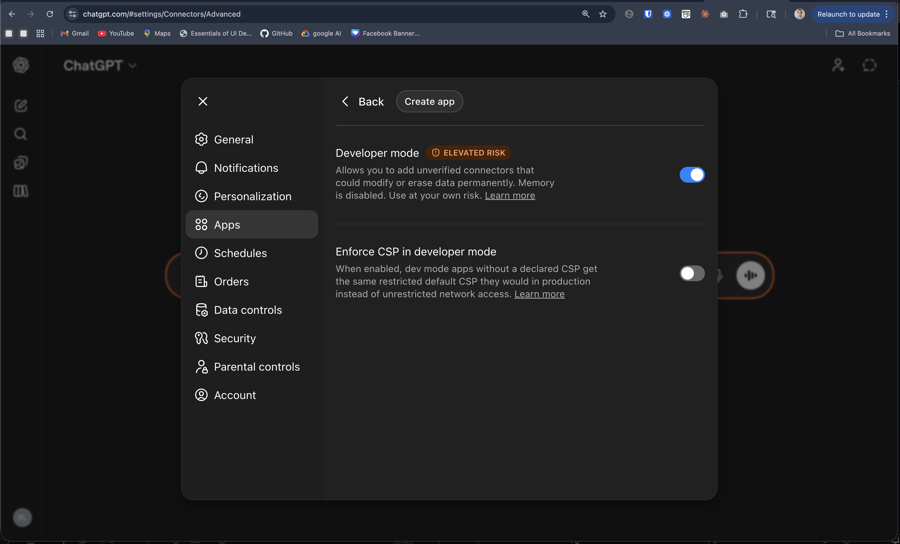
Step 3: Create the AdChat App
- Go back to Apps and click Create app
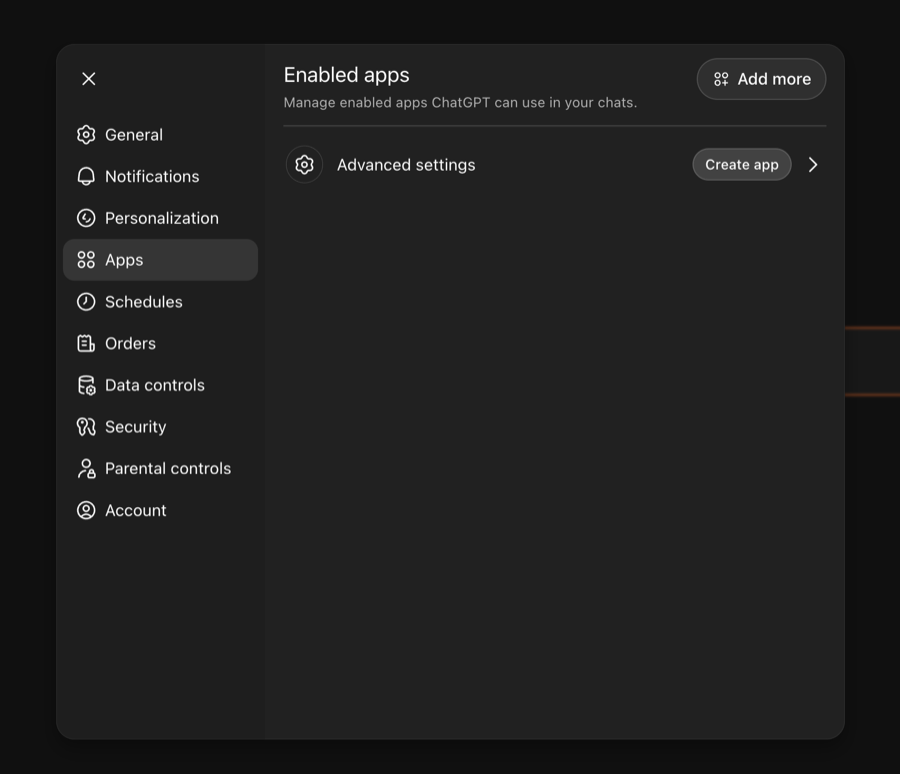
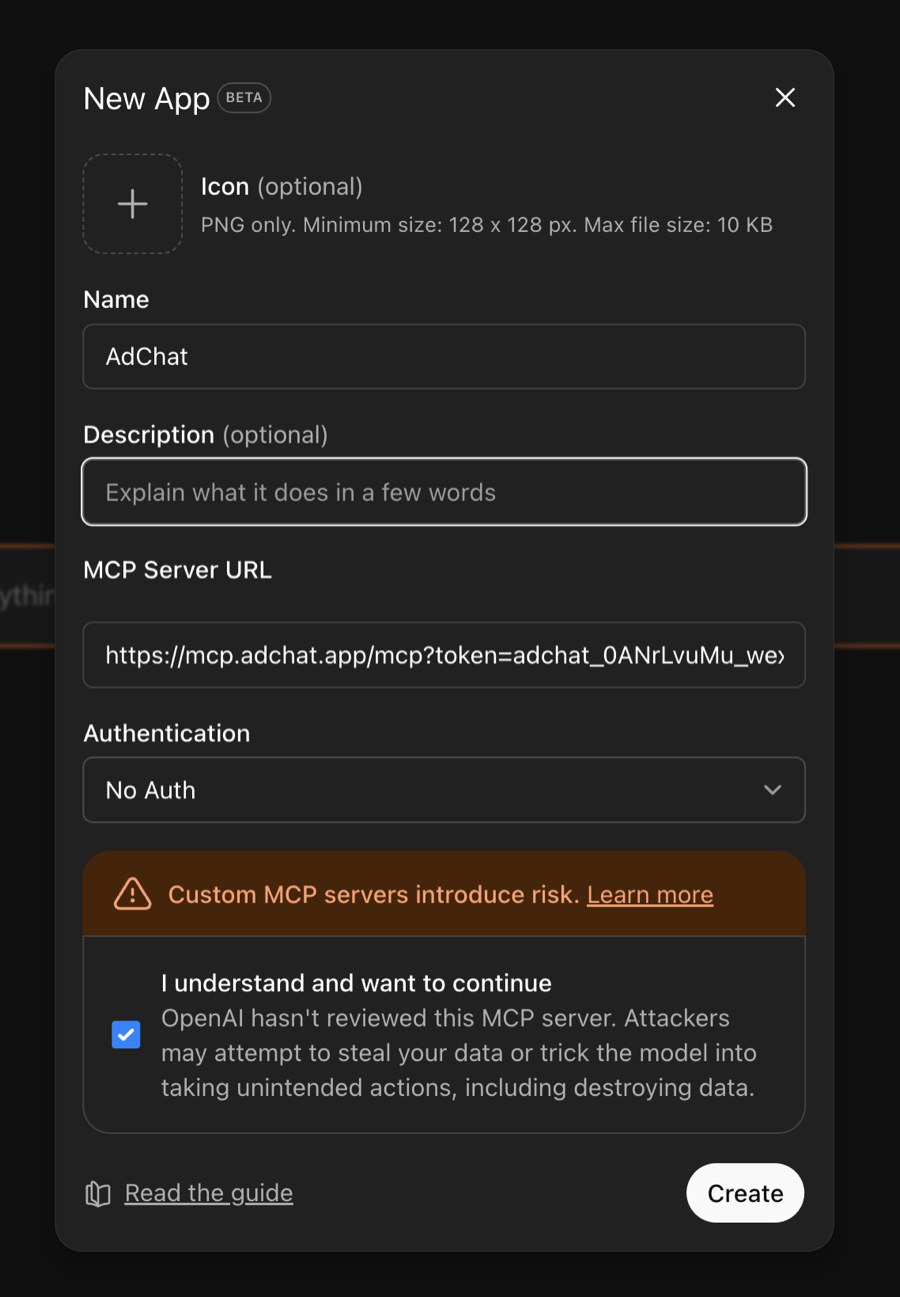
- In the New App dialog:
- Set the Name to AdChat
- Paste your Server URL into MCP Server URL
- Leave Authentication as No Auth (the token is in the URL)
- Check the confirmation box and click Create
Step 4: Start a Conversation
Open a new chat and ask about your ads:
How did my campaigns perform this week?ChatGPT will pull your live ad data through AdChat and answer with specific numbers from your account.
Write Access
By default, AdChat is read-only — ChatGPT can view your data but cannot make changes. To enable write access (creating campaigns, updating ads, etc.):
- Go to your AdChat dashboard
- Navigate to API Keys
- Toggle Write Access on
Tips
- ChatGPT will show a tool-use indicator when it's querying your ad data
- You can ask follow-up questions — the context carries through the conversation
- For best results, mention specific campaigns or time periods
Troubleshooting
MCP option not available
- Make sure you're using the latest version of ChatGPT
- MCP support may need to be enabled in your ChatGPT settings
"Invalid API key" error
- Your API key should start with
adchat_. Copy the latest one from your dashboard under API Keys.
"Write access is not enabled" error
- Enable write access in your dashboard under API Keys if you want the AI to create or modify campaigns.
Connection errors
- Double-check your API key from the AdChat dashboard
- Make sure your Facebook Ads account is still connected in AdChat